Code Leak Detector v2.0.5
A downloadable tool for Windows
Code Leak Detector v2.0.5
Overview
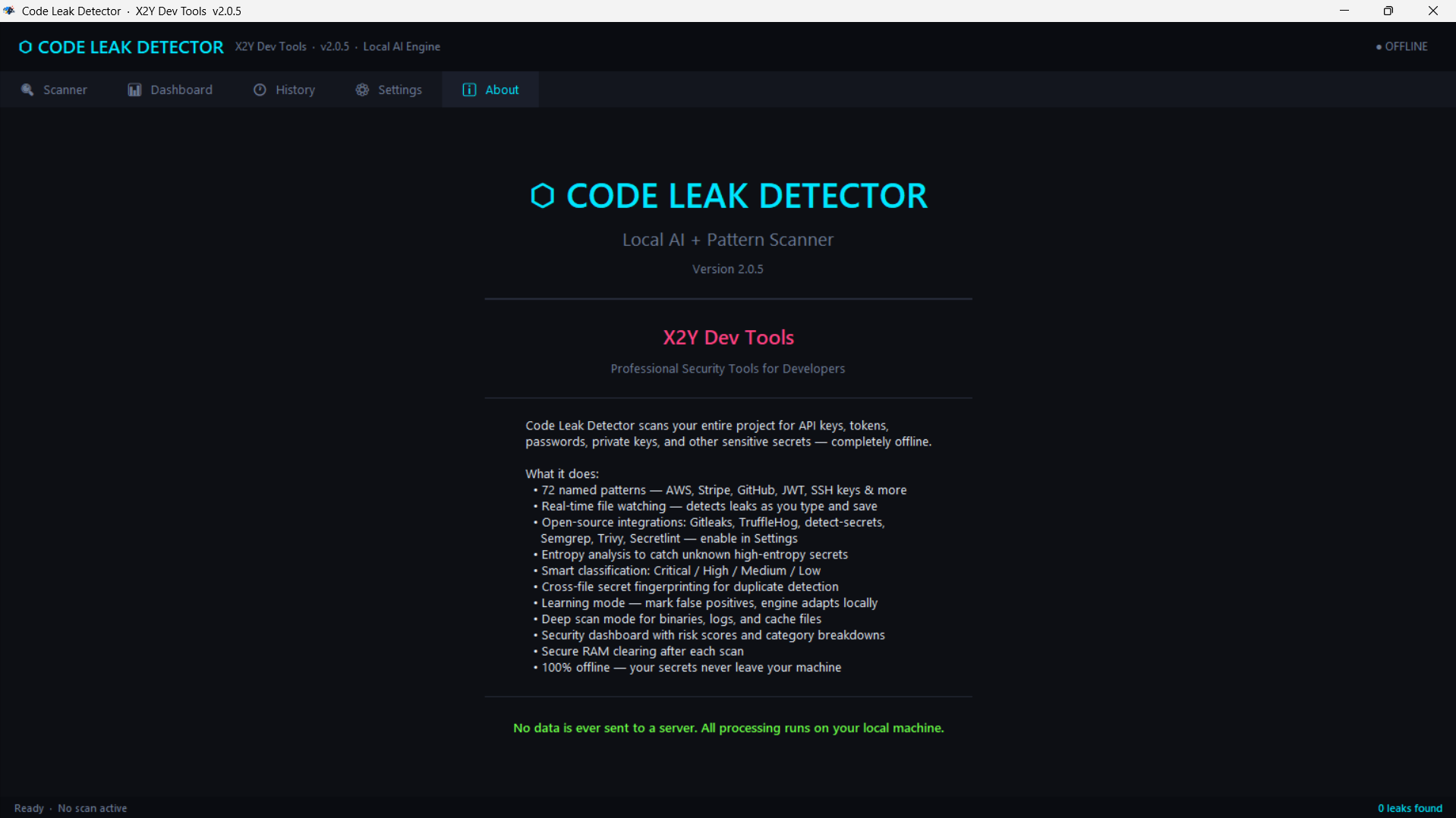
Code Leak Detector is a desktop application designed to identify accidentally exposed secrets in source code projects. It detects API keys, access tokens, database credentials, private keys, and other sensitive information that should not be committed to version control or stored in plain text.
Unlike cloud-based solutions, Code Leak Detector runs entirely on your local machine. No source code, file names, or detected secrets are transmitted over the internet. All scanning, analysis, history storage, and false-positive management occur locally on your device.
Key Capabilities
Built-In Pattern Engine
A comprehensive ruleset with 200+ detection patterns covering:
- Cloud providers
- Authentication systems
- Databases
- Version control systems
- Payment platforms
- Messaging services
- CI/CD systems
- AI services
- Generic secret patterns
Entropy-Based Detection
Detects high-entropy strings associated with sensitive variable names, helping identify custom or uncommon secrets.
Real-Time File Watching
Monitors selected project directories and scans files immediately upon creation or modification. Optional desktop notifications provide instant alerts.
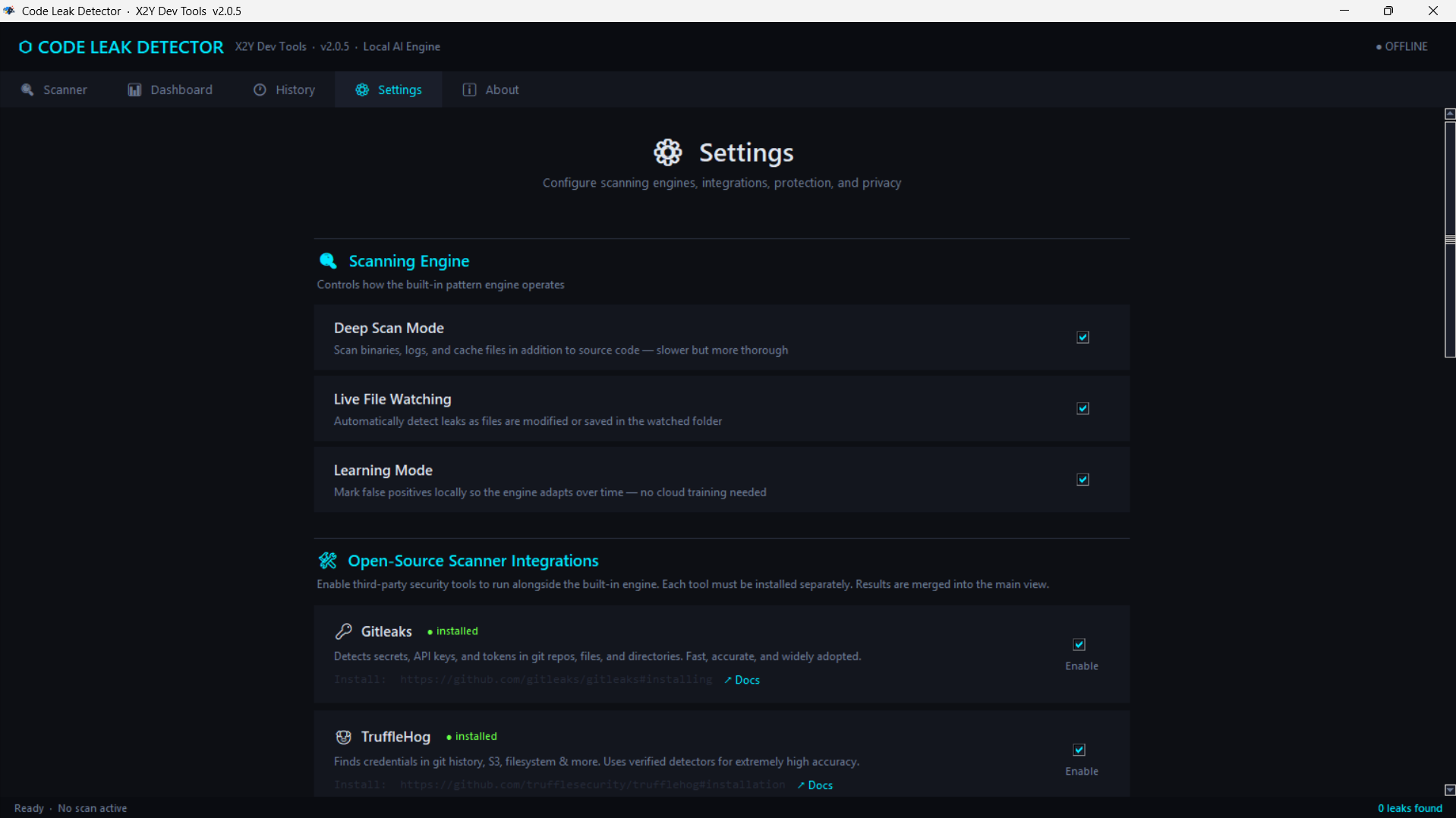
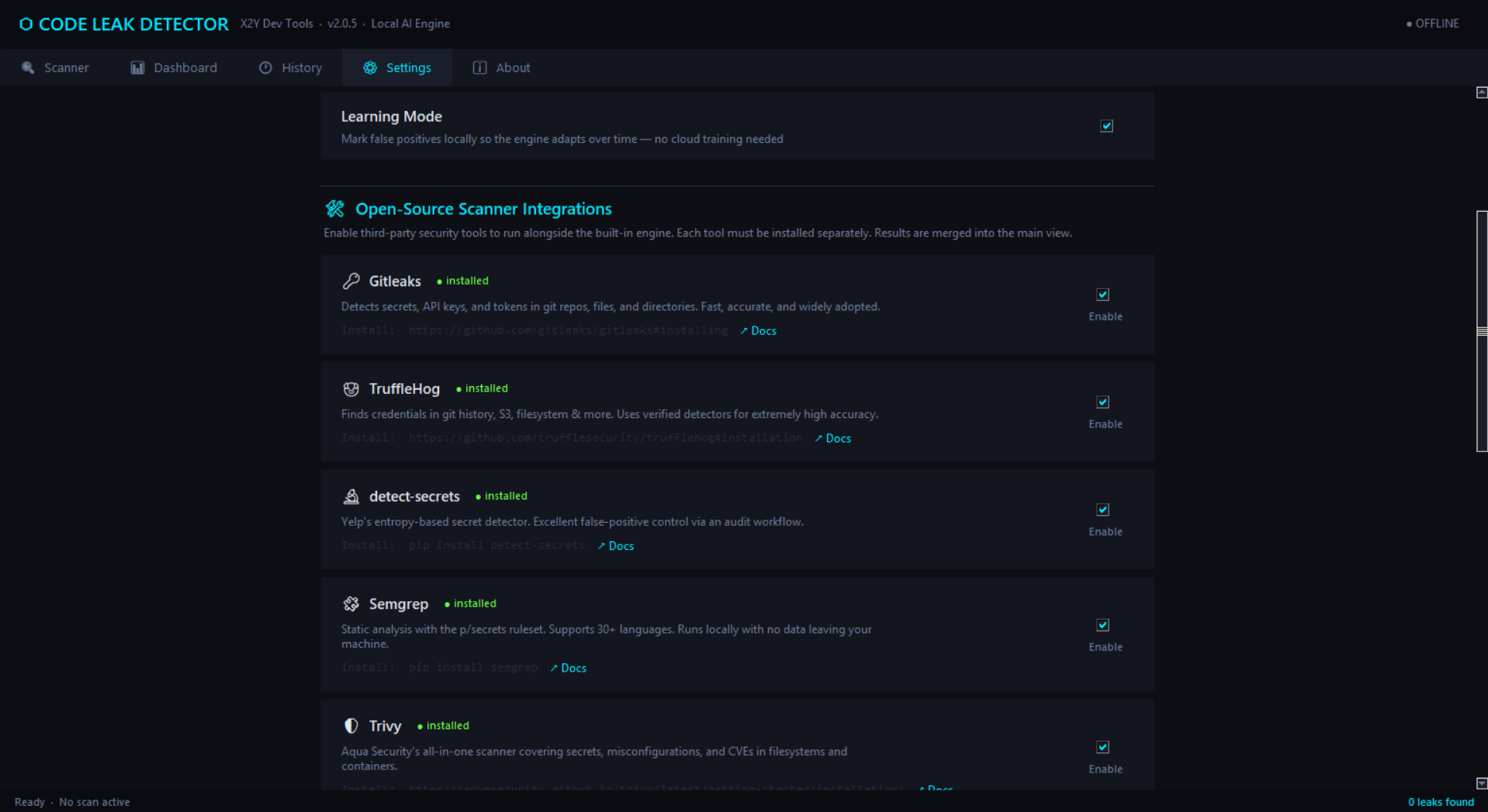
Optional Third-Party Scanner Integrations
Supports integration with external open-source tools:
- Gitleaks
- TruffleHog
- detect-secrets
- Semgrep
- Trivy
- Secretlint
Results are unified into a single interface.
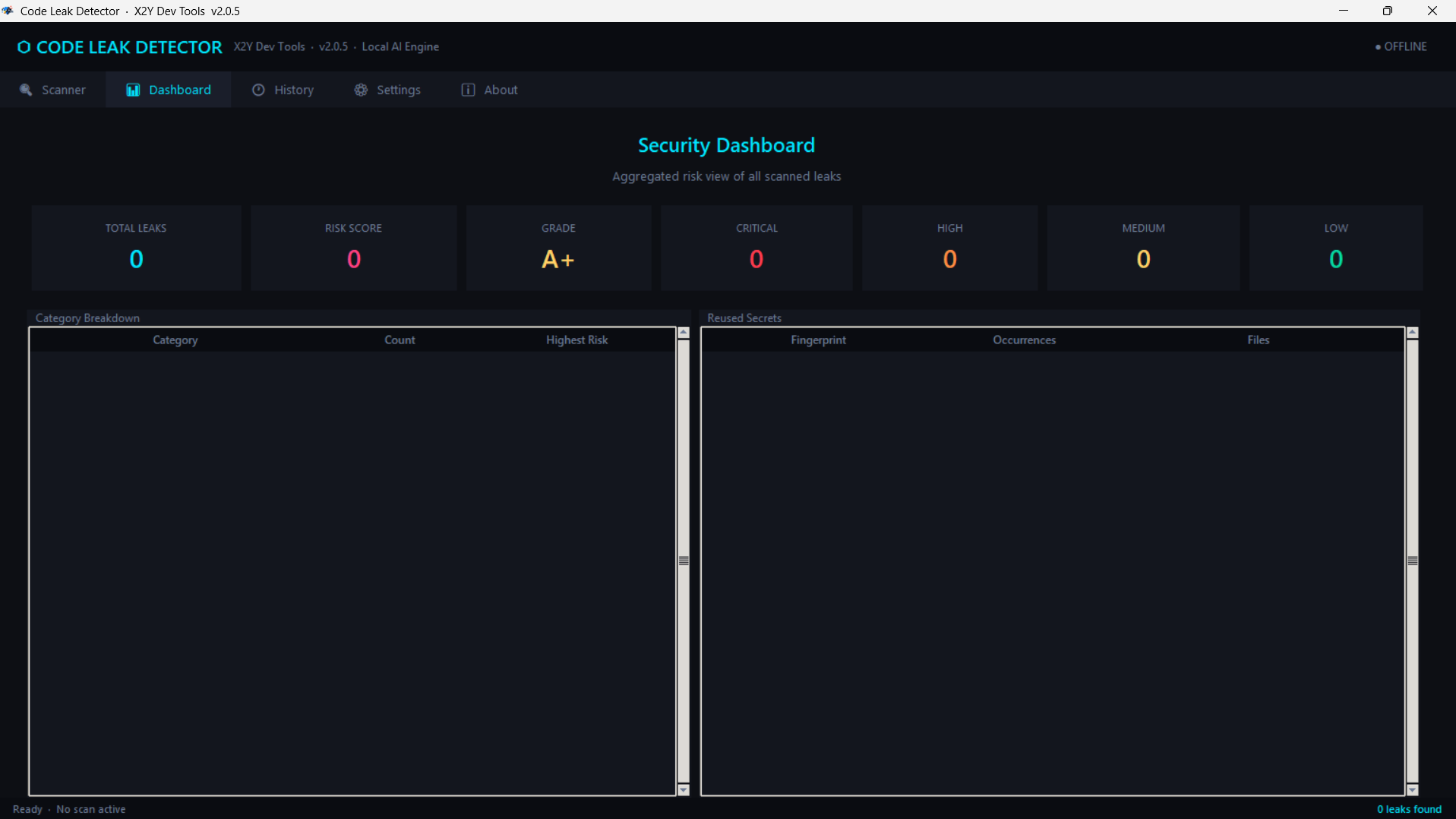
Security Dashboard
Provides an aggregated security overview including:
- Total detected leaks
- Weighted risk score
- Security grade
- Severity distribution
- Category breakdown
- Reused secret detection
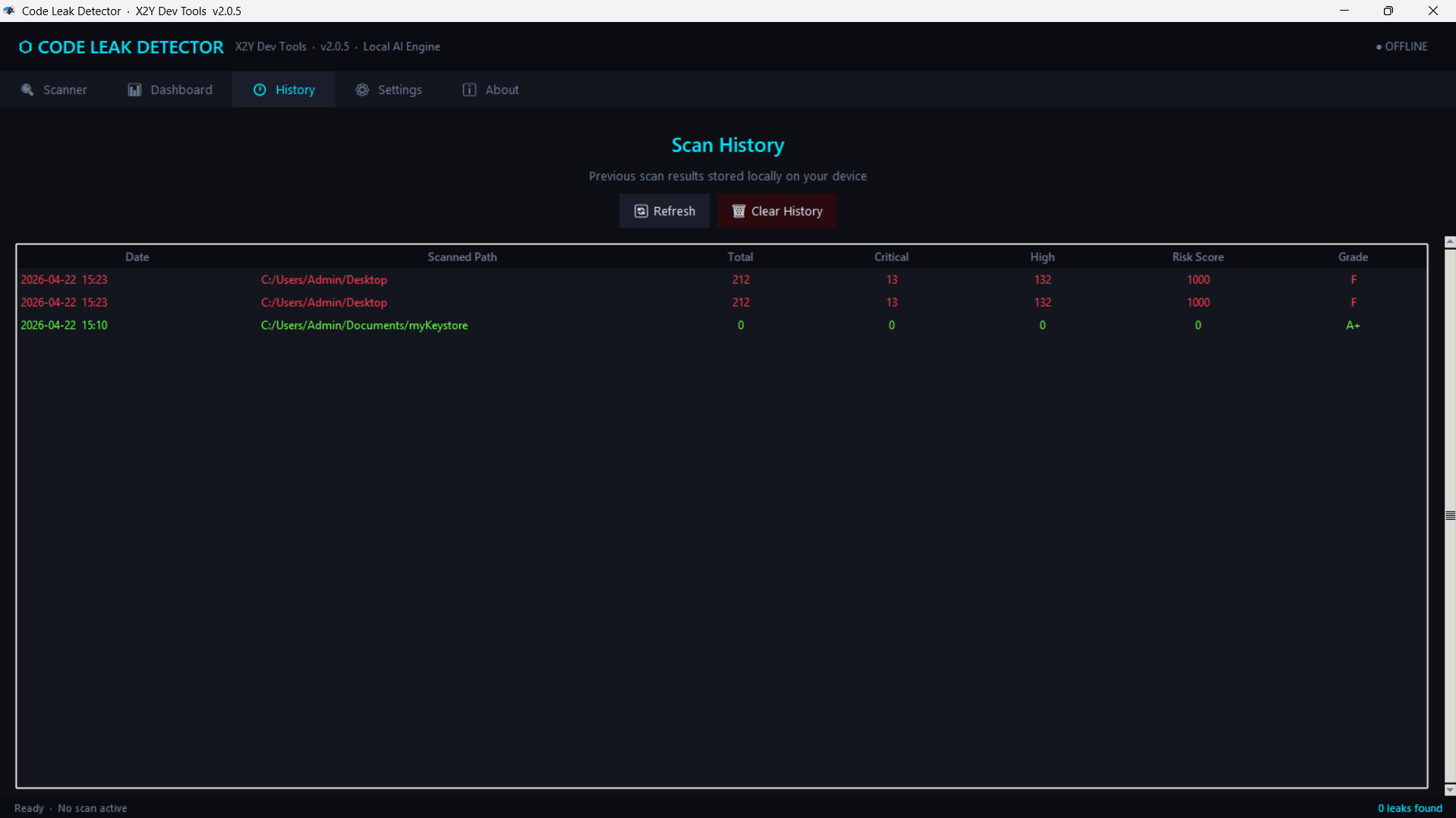
Scan History
Stores scan results locally to track security trends over time.
False Positive Management (Learning Mode)
Allows marking findings as false positives. These are stored locally and excluded in future scans.
Secure Memory Handling
Sensitive values are masked in the UI and overwritten in memory upon application exit.
Offline Operation
Fully functional without internet access. Optional online access is only used for user-triggered external searches.
System Requirements
- Windows 10 (64-bit) or Windows 11 (64-bit)
- 512 MB RAM minimum (1 GB recommended)
- 100 MB disk space
- No dependencies required for core operation
- Optional: runtimes for third-party scanners (Python, Node.js, Go, etc.)
Installation
- Download the installer:
CodeLeakDetector-Setup-2.0.5.exe - Run the installer
- Accept the license agreement
- Choose installation directory
- Complete installation
- Launch from Start Menu or desktop shortcut
Note: The license is a one-time purchase covering all 2.x updates.
Getting Started
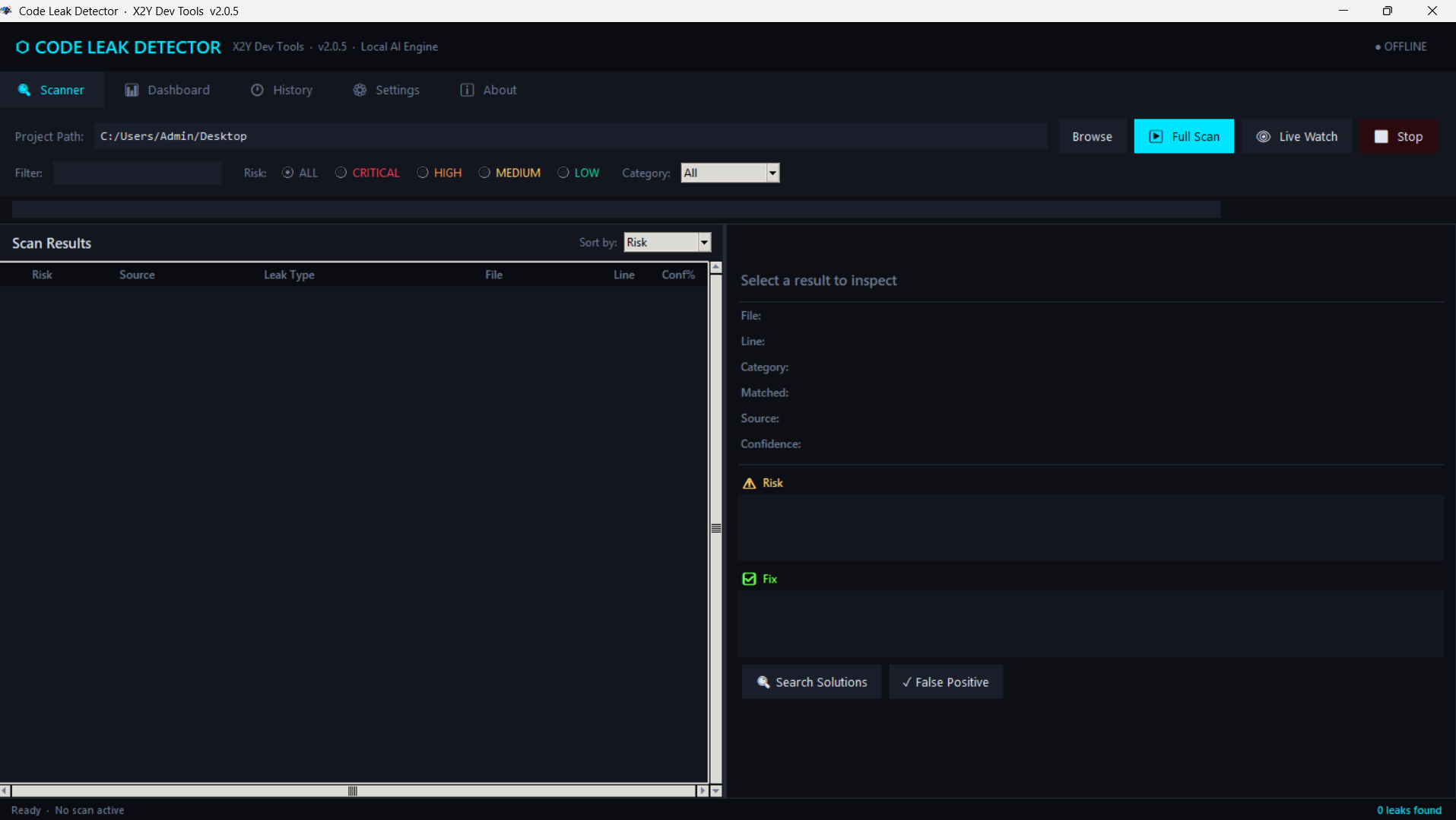
First Scan
- Open the application
- Navigate to the Scanner tab
- Select a project folder
- Click Full Scan
- Review results in the table
Results Overview
- Risk level
- Source category
- Leak type
- File location
- Line number
- Confidence score
Filtering and sorting options allow narrowing results by severity, category, file, or confidence.
Inspecting Findings
- Single-click: view summary details
- Double-click: open full detail view including remediation guidance and file context
Live Watch Mode
- Select project directory
- Enable Live Watch
- The system monitors changes in real time
- New leaks trigger notifications
- Disable to stop monitoring
Dashboard
Displays aggregated metrics from the latest scan, including risk score and distribution statistics.
Scan History
Provides a chronological record of past scans. Entries can be refreshed or cleared.
Third-Party Scanner Integration
- Gitleaks:
winget install Gitleaks.Gitleaks - TruffleHog:
pip install trufflehog - detect-secrets:
pip install detect-secrets - Semgrep:
pip install semgrep - Trivy:
winget install AquaSecurity.Trivy - Secretlint:
npm install -g secretlint @secretlint/secretlint-rule-preset-recommend
After installation:
- Restart the application
- Open Settings
- Enable desired integrations
Settings Reference
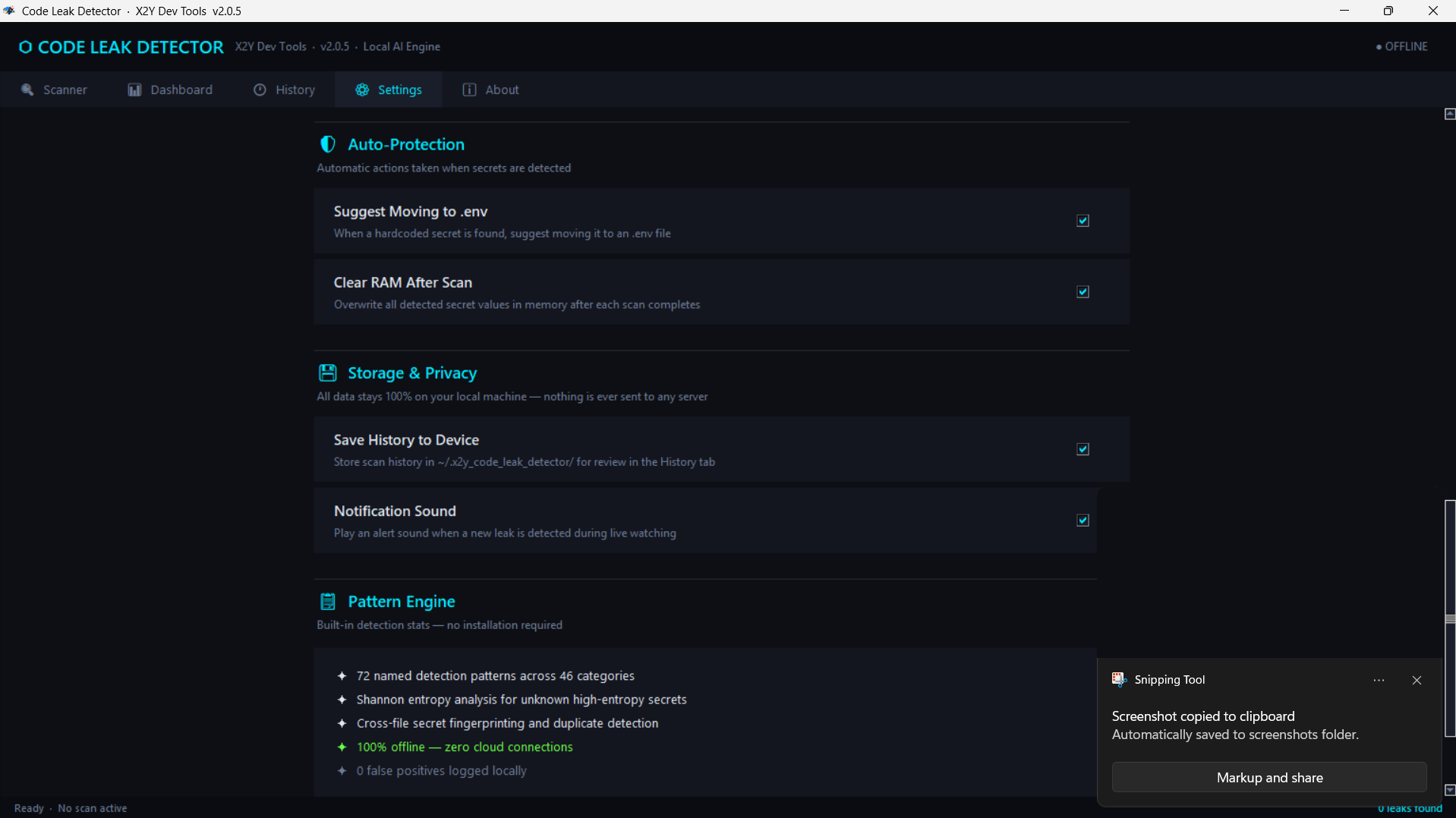
- Deep Scan Mode: Includes binaries and logs for thorough scanning
- Live File Watching: Enables real-time monitoring
- Learning Mode: Stores false positives locally
- Suggest .env Migration: Recommends secure environment variable usage
- Clear RAM After Scan: Overwrites sensitive memory on exit
- Save History: Stores scan history locally
- Notifications: Enables alert sounds for detections
Data Storage
All data is stored locally at:
%USERPROFILE%\.x2y_code_leak_detector\
Includes:
- settings.json
- false_positives.json
- scan_history.json
Deleting this folder resets the application completely.
Troubleshooting
Application does not start
- Ensure Windows 10/11 64-bit
- Run as Administrator
- Check antivirus interference
Third-party tools not detected
- Verify installation in terminal
- Ensure tools are in system PATH
- Restart application after installation
False positives
- Mark as false positive via detail view
History not showing correctly
- Update to latest version
Contributing
This is proprietary software. External code contributions are not accepted.
Feedback, bug reports, and feature requests are welcome. Please include:
- Issue description
- Steps to reproduce
- Expected behavior
- Screenshots (if applicable)
- System and version information
License
Code Leak Detector is proprietary software. A one-time purchase grants access to version 2.x updates. Redistribution, reverse engineering, and resale are prohibited. Full terms are provided during installation.
Contact
Email: support@x2ydevs.xyz Website: https://x2ydevs.xyz
© x2y Dev Tools. All rights reserved.
Purchase
In order to download this tool you must purchase it at or above the minimum price of $29 USD. You will get access to the following files:
Leave a comment
Log in with itch.io to leave a comment.